Generate custom apps on
your ServiceNow dataGenerate custom
apps on your
ServiceNow data
Connect ToolJet to your ServiceNow data to build incident consoles, dashboards, and internal apps. Read and update records, then refine the interface visually.
- Table CRUD & Flow Designer
- Basic auth or OAuth 2.0
- Self-Host or Cloud








Everything the ServiceNow datasource supports
Read and write ServiceNow records, trigger automation, and turn it all into apps with ToolJet's builder.
Read and write permitted tables
Read, create, update, and delete records on supported tables your connection account can access - incident, change_request, cmdb_ci, or your custom tables.
- Filter, sort, and paginate with encoded queries
- Map records straight into tables, forms, and lists
- Extend with JavaScript or Python transforms
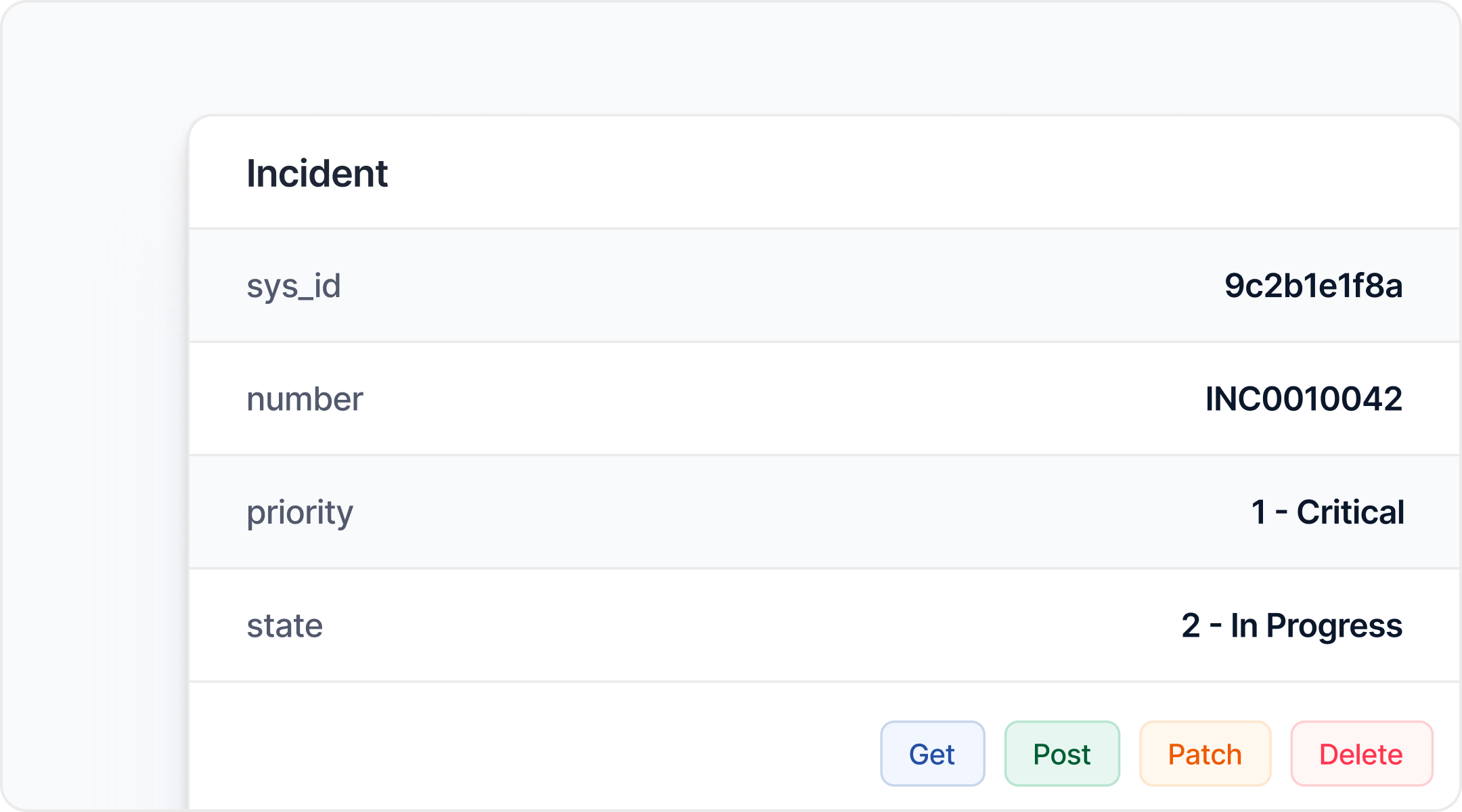
Read and write permitted tables
Read, create, update, and delete records on supported tables your connection account can access - incident, change_request, cmdb_ci, or your custom tables.
- Filter, sort, and paginate with encoded queries
- Map records straight into tables, forms, and lists
- Extend with JavaScript or Python transforms
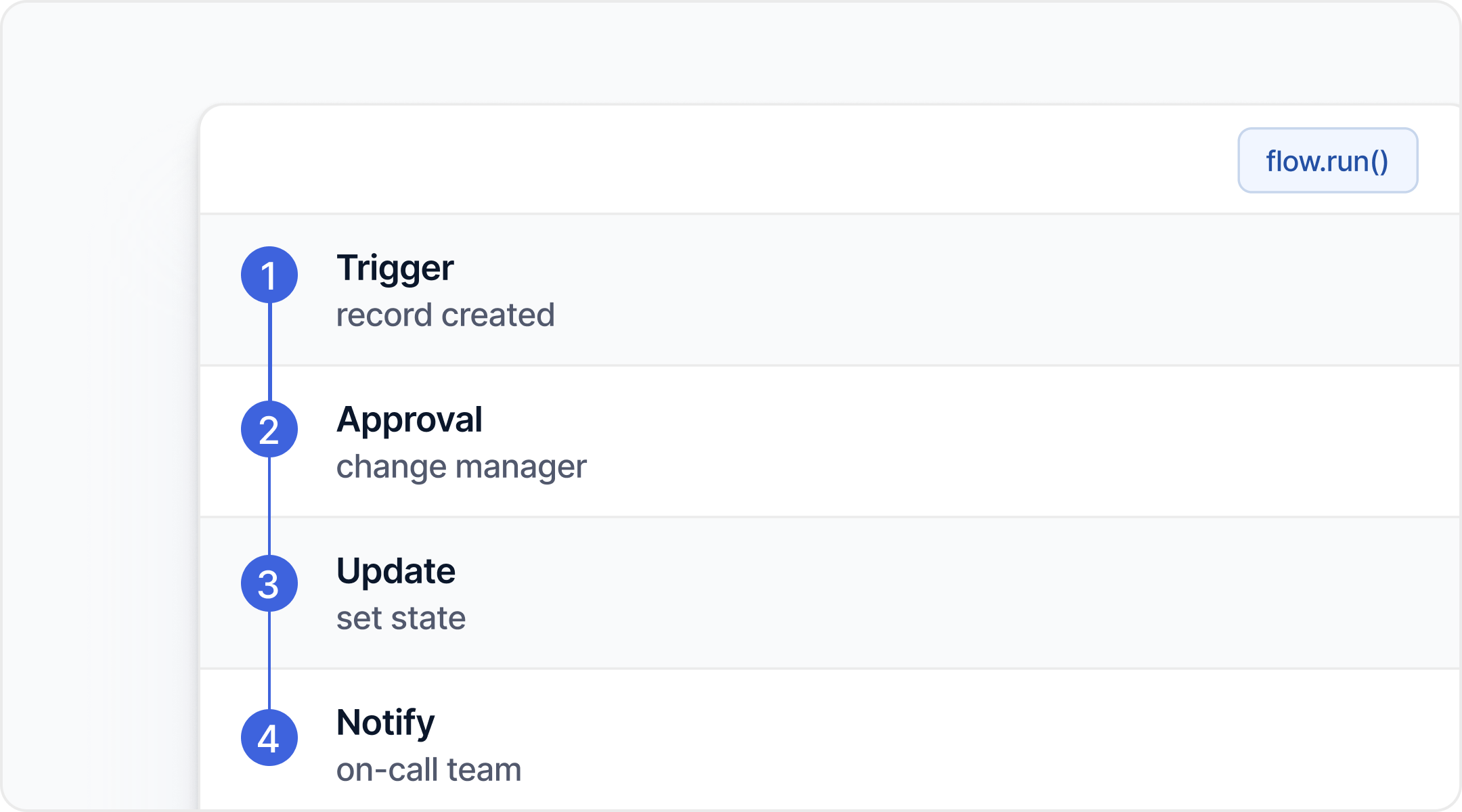
Run workflows and subflows from your app
Invoke Action Fabric workflows or trigger Flow Designer subflows through a configured Scripted REST endpoint. Pass inputs from your app and read results back into the UI.
- Pass parameters from app components
- Drive approvals, fulfillment, and automation
- Keep orchestration in ServiceNow where it belongs
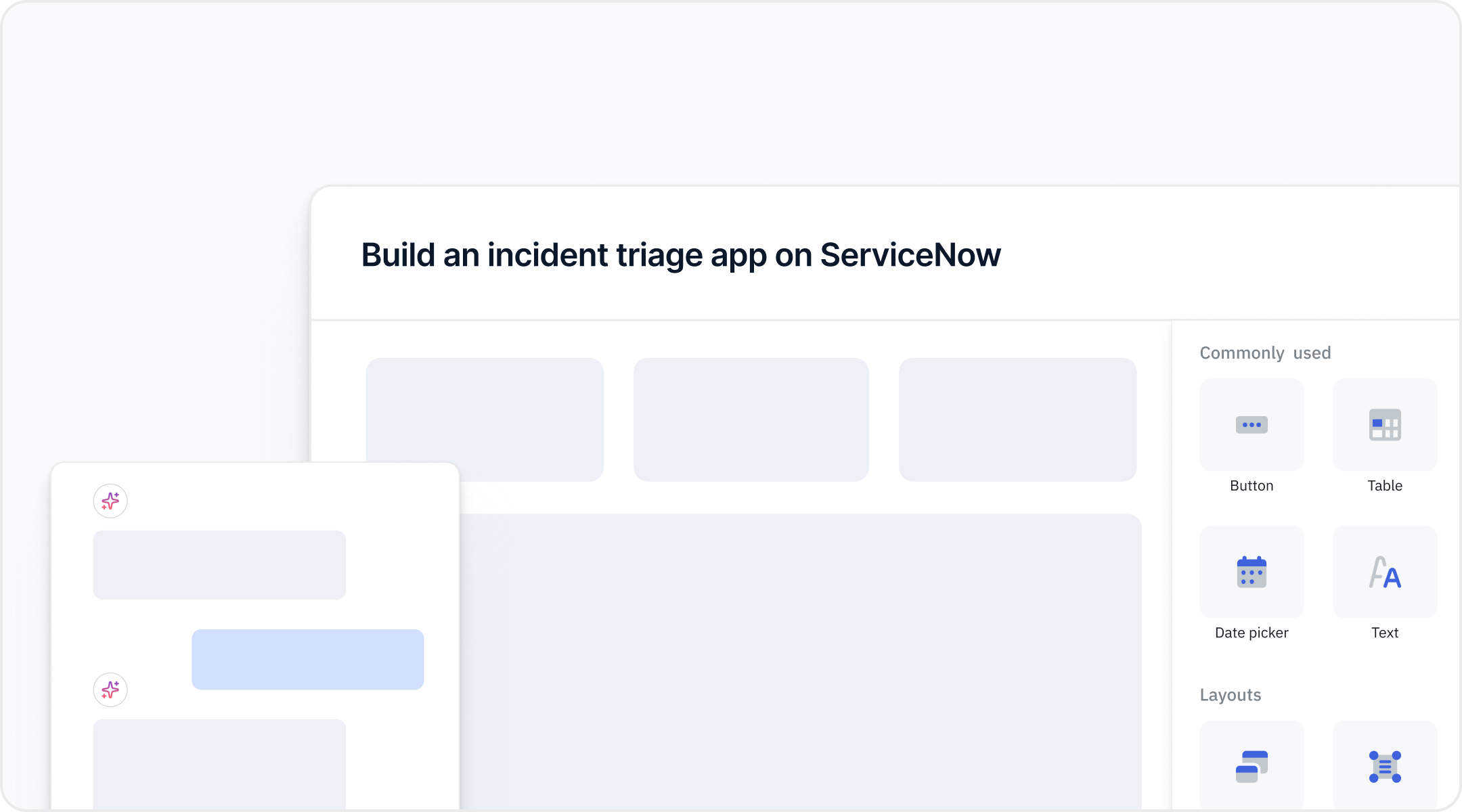
From data source to live app
Every supported operation is available in ToolJet's drag-and-drop builder - or describe the app in plain language and generate it with AI.
- 78+ components wired to ServiceNow data
- Generate full multi-page apps from a prompt
- Ship to web, mobile, or embedded
What teams build on ServiceNow with ToolJet
From a quick console for one team to a portal for the whole company - start small and grow.

Agent & dispatch consoles
Give support and ops teams a focused console to triage incidents and requests - faster than the native interface.

CMDB explorer
Browse, search, and edit configuration items and their relationships in a purpose-built UI.

Bulk record operations
Update hundreds of incidents, tasks, or requests in a single grid instead of one record at a time.

Approval & change dashboards
Surface pending change requests and approvals, then trigger the right flow with one click.

Branded service portals
Ship employee- or customer-facing portals on ServiceNow data, styled to match your brand.

Cross-system back-office tools
Combine ServiceNow with Postgres, Salesforce, REST APIs, and 100+ other sources in one app.
Two ways to connect, your governance intact
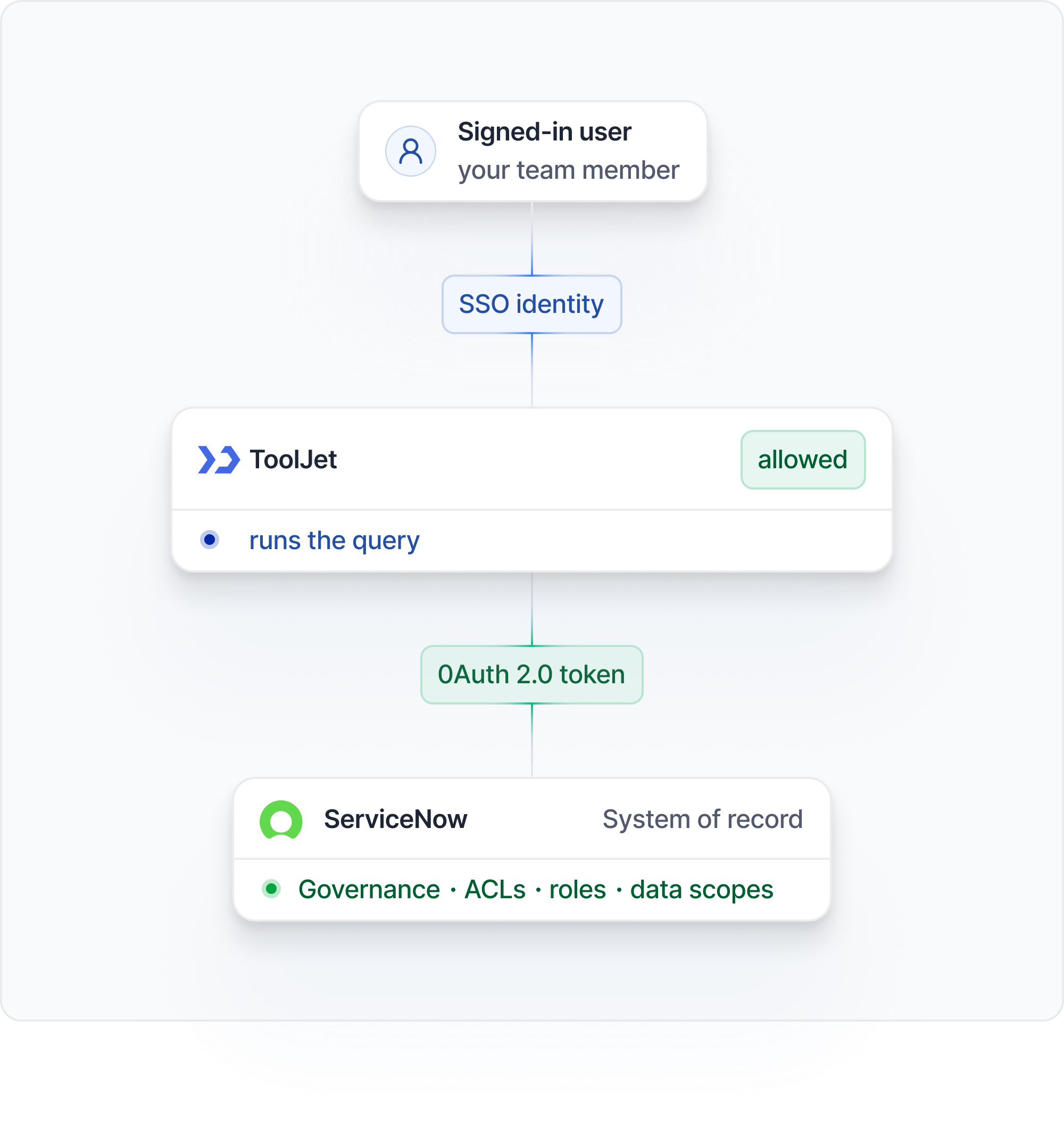
Pick the authentication method that fits your security model - and keep ServiceNow in control of who sees what. The diagram illustrates per-user OAuth authentication.
Username & password
Connect with a ServiceNow username and password - ideal for internal tools backed by a dedicated integration account.
- Filter, sort, and paginate with encoded queries
- Map records straight into tables, forms, and lists
- Extend with JavaScript or Python transforms
OAuth 2.0
Use OAuth 2.0 for the data source. In per-user OAuth mode, each app user authorizes the connection with their own ServiceNow account. ServiceNow applies that account’s roles and ACLs.
- Filter, sort, and paginate with encoded queries
- Map records straight into tables, forms, and lists
- Extend with JavaScript or Python transforms
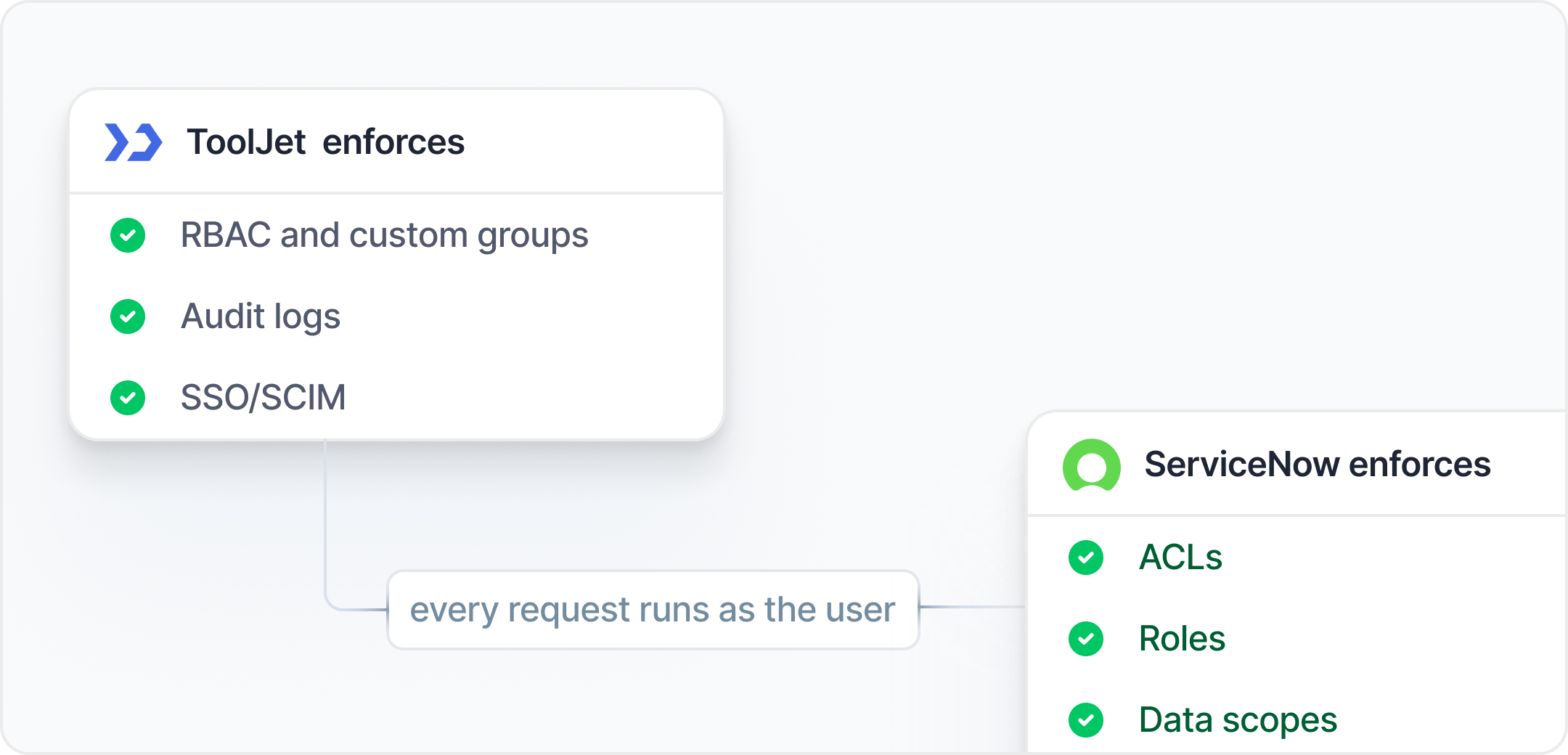
Two layers of governance, working together
Read and write ServiceNow records, trigger automation, and turn it all into apps with ToolJet's builder.
Defence in depth, by default
Configure ToolJet access controls and audit logging for your plan. ServiceNow receives requests under the configured credentials or OAuth token. That account can differ from the signed-in ToolJet user. Verify its roles and ACLs with least-privilege access before rollout. The diagram illustrates per-user OAuth mode, where ServiceNow evaluates the authenticated user’s identity. Other authentication modes use the credentials or token configured for the connection.
- Verify flow permissions for the configured ServiceNow account
- ToolJet access controls depend on your plan and configuration
- Paid plans add ToolJet audit logs for supported events
More controls by plan
Configure role-based access and custom groups on paid plans; advanced component-level access rules require Enterprise.
Use SAML or OIDC SSO on Team and Enterprise, with SCIM 2.0 provisioning on Enterprise.
Self-host in your VPC or on-prem. Air-gapped licensing requires the Self-hosted Enterprise add-on and approved network access to ServiceNow.
Use paid-plan audit logs to review supported events, with retention and coverage determined by your plan and configuration.
Protect stored connection credentials and use HTTPS for ServiceNow connections. Review your deployment's secret-management configuration.
ServiceNow applies access rules to the account represented by the connection credentials or token. Verify least-privilege roles for that account.
Deploy your way - cloud, self-hosted, or air-gapped
Run ToolJet wherever your security and compliance teams need it, right next to your ServiceNow instance.

ToolJet Cloud
Fully managed SaaS. Start in minutes with no infrastructure to run or maintain.

Self-hosted
Run in your own VPC with Docker, Kubernetes, or Helm - on AWS, Azure, GCP, or on-prem.

Air-gapped
Use the Self-hosted Enterprise air-gapped add-on. ToolJet must still reach your ServiceNow instance over an approved network.
From connection to live app in three steps

Connect ServiceNow
Add ServiceNow as a data source with your instance URL and basic auth or OAuth credentials.

Query tables & invoke flows
Read and write permitted tables, invoke Action Fabric workflows, or trigger Flow Designer subflows through a configured Scripted REST endpoint.

Build & ship
Assemble the UI with the drag-and-drop builder or generate it with AI, then publish to your team.
Frequently asked questions
What ServiceNow operations does ToolJet support?
How does authentication work?
Does ToolJet respect ServiceNow ACLs and governance?
Can I combine ServiceNow with other data sources?
Does it work with both cloud and on-prem ServiceNow?
Can I self-host ToolJet?
Build your first ServiceNow app today
Connect your instance, query tables, and invoke flows in minutes - or talk to our team about a rollout across your organization.
No credit card required · SOC 2 Type II · Self-host; Enterprise air-gap add-on• No credit card required •• SOC 2 Type II •• Self-host; Enterprise air-gap add-on •