Intelligent workflow automation for modern enterprises
Automate business processes on Self-hosted ToolJet. Build workflows visually or author drafts from your coding agent through MCP, then review and validate before an explicit run.
Build visually, or use ToolJet MCP to discover existing workflows and author drafts. Review configured connections, validate the saved graph and choose when to run it. MCP authoring does not publish, enable or configure triggers.
Build workflows visually
Design workflows in the visual builder or ask your coding agent to author supported nodes through ToolJet MCP. App generation remains available on Cloud; Workflows require Self-hosted ToolJet.
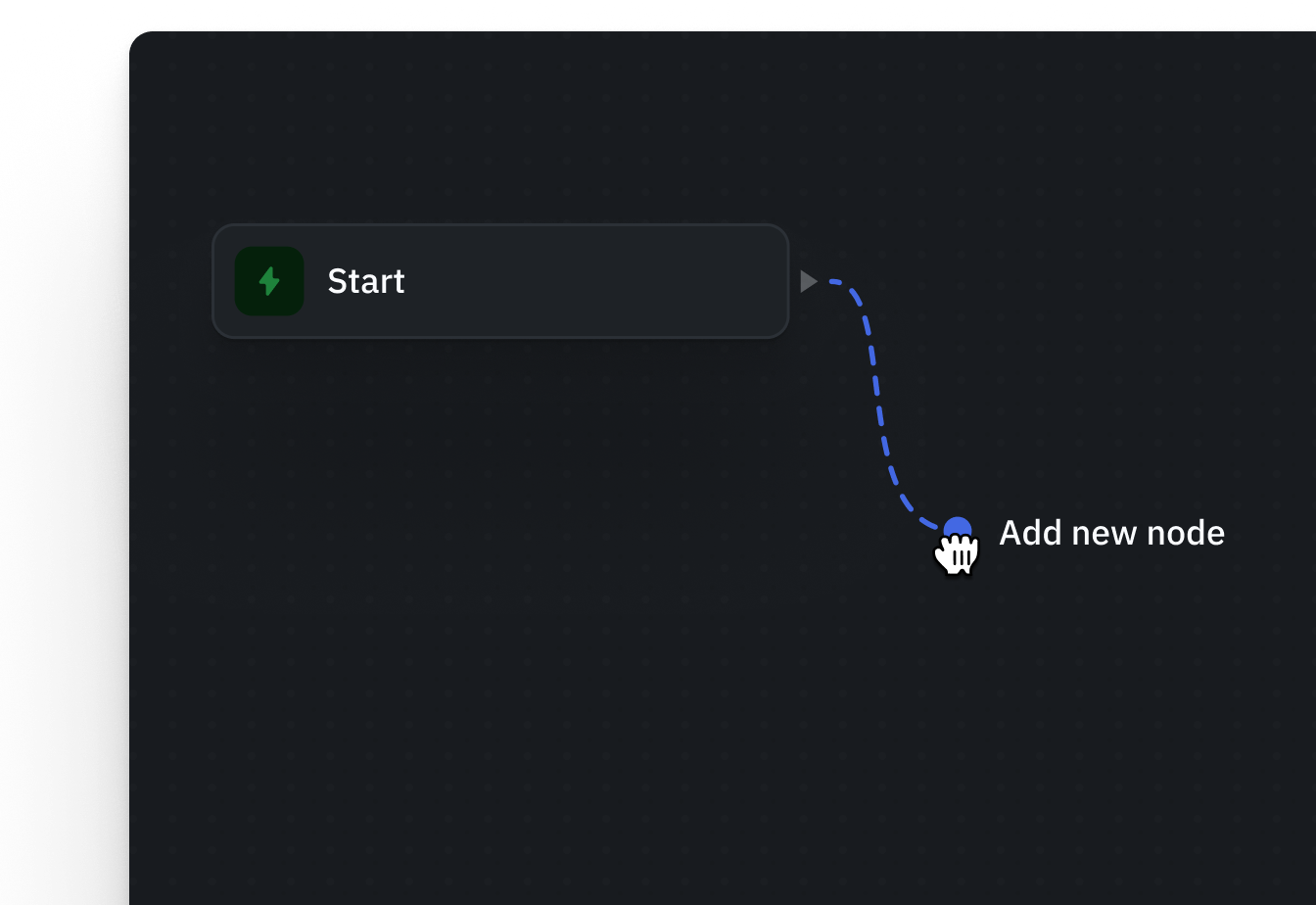
Drag-and-drop builder
Add and connect your nodes visually, assembling your workflow faster and without much hassle.
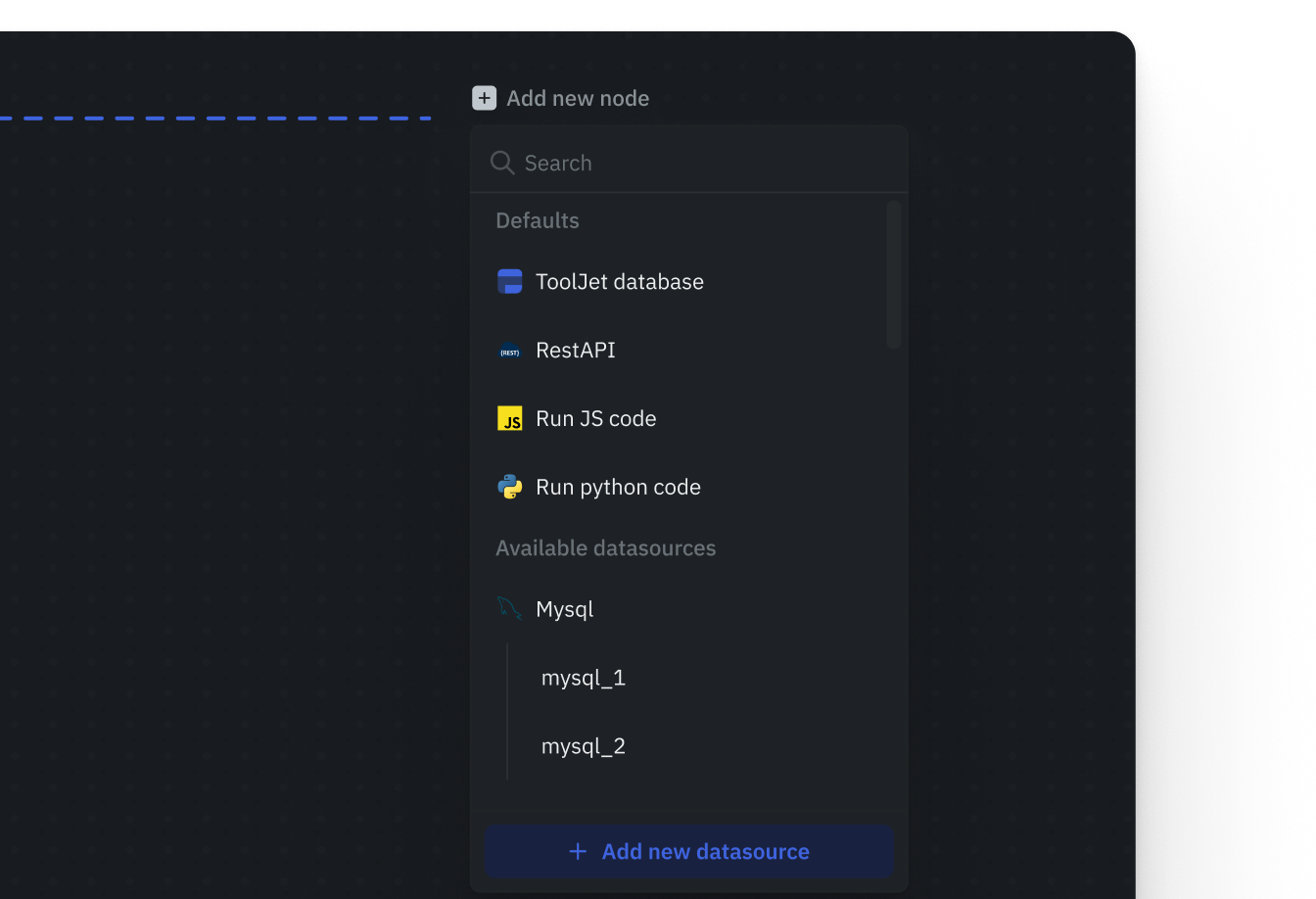
Rich nodes library
Quickly cover any automation use case with ready-made nodes like API calls, database queries, condition logic, loops, email/SMS and more.
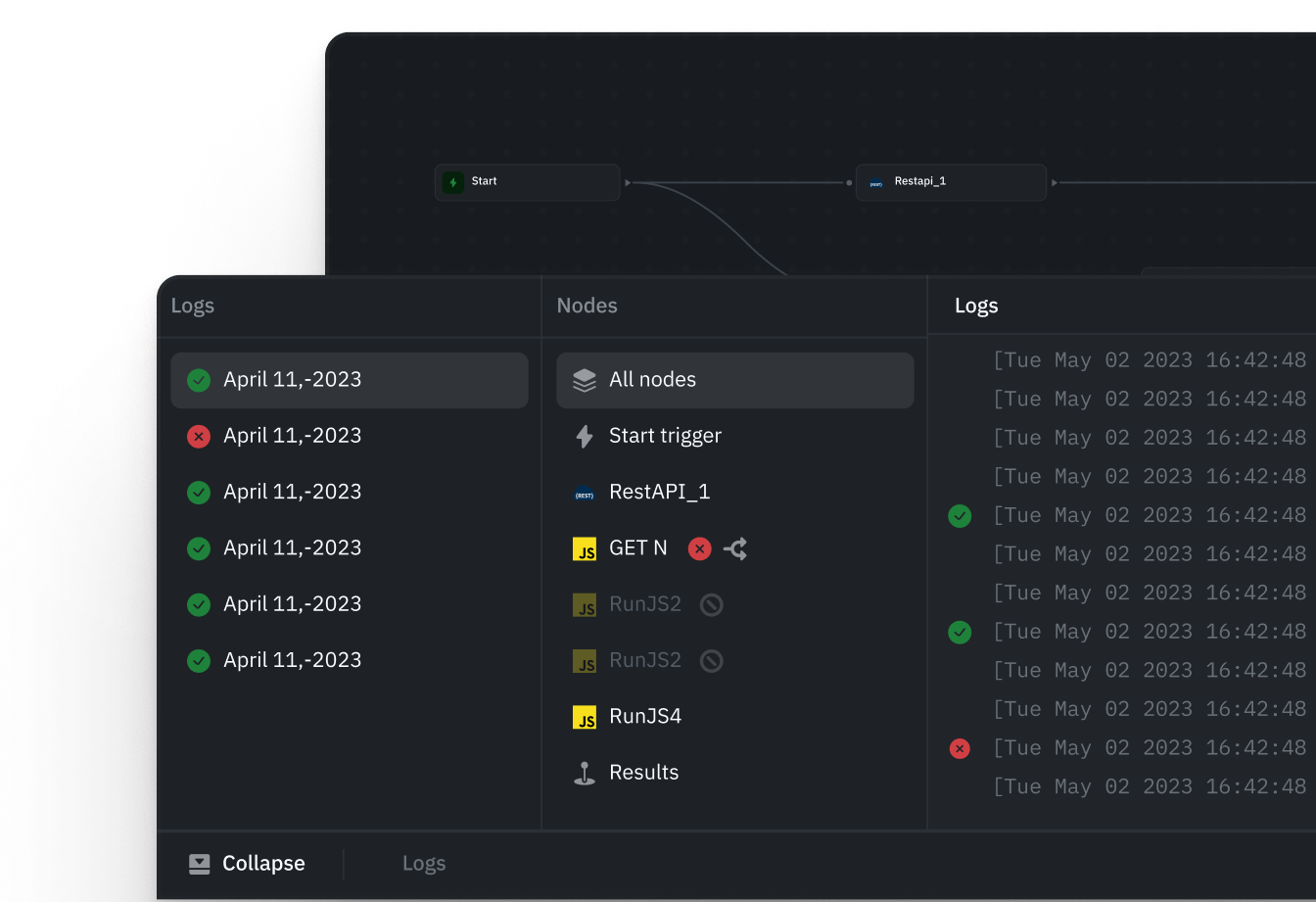
Debugger
Quickly identify and fix issues across workflow nodes, data queries, and logic, reducing time spent troubleshooting.
Build intelligent workflows with custom logic
Extend workflows with JavaScript and connected AI providers to handle complex logic. Reason over inputs using LLMs, transform data on the fly, and enable autonomous decision-making.
Run JavaScript
Transform data and implement business logic with RunJS nodes. Use supported external JavaScript libraries when needed.
LLM reasoning
Use large language models directly within workflows to reason over user input, apply judgment, and generate structured outputs.
Transform data with workflows
Shape data for downstream steps and business logic, and apply transformations before writing data back to databases.
Trigger workflows any way you want
Run workflows on a schedule, through webhooks, or through apps. Keep business processes running seamlessly and in sync with your operations.
From Tooljet application
Start workflows directly from your ToolJet apps-on button clicks, form submissions, or data updates without writing glue code.
With webhook
Expose a secure webhook endpoint to trigger workflows from external systems in real time. Connect third-party apps and services.
With scheduler
Run workflows automatically at defined intervals-hourly, daily, weekly, or custom CRON schedules for recurring processes.
Securely scale with server side execution
Run automation on the server, triggered by apps, webhooks, or schedules. Configure resource limits for your deployment and monitor execution logs.
Configure execution limits
Set workflow timeout and memory limits to suit your deployment. Check execution logs to understand results and diagnose failures.
Automate recurring operations
Schedule recurring workflows and connect app or webhook triggers. Size your infrastructure for the workload you expect.
Handle large data volumes
Process high volumes of data from multiple sources within a single workflow, with processing and resource limits configured for your deployment.
Built for real-world business processes
From customer support to billing reconciliation, ToolJet Workflows power the automations that keep your business running.
Turn feedback into insights
Automatically process reviews to surface patterns, sentiment, and key signals using LLMs for informed decisions.
Scheduled data syncs & cleanup
Run nightly maintenance tasks like data cleanup or syncs. Automate repetitive backend chores seamlessly.
Automate customer support
On ticket escalation, notify ops, create tasks in your project tool, and log events—all in one flow.
Simple internal approvals
Route approvals based on logic like amount thresholds or department. Automate reimbursements and leave requests.
Billing & payment reconciliation
On payment events, update user access, send confirmations, and sync transactions to your dashboard instantly.
Frequently asked questions
What are ToolJet Workflows?
ToolJet Workflows automate business processes on Self-hosted deployments. Build visually or use ToolJet MCP to discover, create, edit and validate workflow drafts. Workflows are not available on ToolJet Cloud; native app generation through MCP works on Cloud and Self-hosted.
Can I build workflows from Claude Code or Codex?
Yes, on Self-hosted ToolJet with the workflow-capable MCP release. Agents can author Start, JavaScript, datasource query, Loop, condition, Agent and response nodes. Discover configured data sources first; AI-model and email steps require the corresponding connections. RunJS supports custom JavaScript and supported external JavaScript libraries. Authoring saves an editable draft without running or publishing it.
How are workflows triggered?
ToolJet Workflows support app actions, webhooks and schedules configured in ToolJet. MCP workflow authoring does not configure or enable these triggers. Running through MCP is a separate, explicitly authorized action for a selected workflow version and environment, and can execute code or write to connected data sources.
Can workflows handle long-running processes?
Workflows run on the server with configurable timeout and memory limits. Verify behavior under your expected workload. MCP can validate drafts and inspect execution status and paginated results after an authorized run. If execution times out, inspect its status before retrying; the workflow may already have completed.
When should we evaluate ToolJet as a Power Apps alternative for workflows?
Evaluate ToolJet when your team needs a Self-hosted internal app with server-side automation over existing databases and APIs. Choose one real process, such as reconciling orders or routing an operational request, and test the interface and automation together. Inventory Power Apps screens, Power Automate flows, connectors, permissions and business rules separately; connecting the same data does not migrate those behaviors. Confirm workflow availability, governance features and support in your proposed deployment and plan.
How should we design an approval process that spans multiple days?
Treat the approval record as persistent application data rather than keeping one workflow execution waiting for a person. Store the request, status and decision history in your database, check the approver's authorization on the server, and invoke a bounded workflow for each action. Test duplicate submissions and competing decisions so the same request is not processed twice. This is an application design pattern to implement and validate, not a claim of a built-in durable approval engine or automatic recovery.
What should an enterprise workflow pilot verify before rollout?
Test allowed and denied actions with representative roles, least-privilege data-source credentials, expected peak concurrency, and configured execution and memory limits. Simulate an unavailable API and a timeout after a write: inspect execution status before retrying, and design repeat-safe writes or duplicate checks where needed. Decide who monitors failures, how records are reconciled after partial completion, and how recovery is tested. Agree on support coverage and infrastructure ownership before enabling production triggers.
Create your first workflow in minutes with ToolJet
Talk with our team and see how you can automate complex enterprise processes.